 The first is MailChimp, for those of you who are familiar with MailChimp you will understand how helpful this program is. MailChimp is an email marketing service, it is based in the US and was founded in 2001. It has a range of functions but possibly the most useful is it's ability to create and send out newsletters to personally built databases that are saved within the program as mailing lists. It has an extremely user-friendly interface that allows you to create newsletters of varying types with integrations for social networks such as Twitter and Facebook. It's great for PR departments who maintain a newsletter as it saves templates, databases and provides insights into recipient engagement. It offers free usage for mailing lists of less than 2,000 contacts, so great for start-ups and small businesses.
It allows users to produce a well designed and formatted newsletter without the need for on going graphics work. It basically allows for you to just plug in new information into the existing template. I have used MailChimp for a variety of different communications while undertaking my internship including the monthly newslettter, press releases, program releases, and emails to a range of different stakeholder groups. Being able to select a specific mailing list for each campaign you send out means that your communications are targeted to that group. MailChimp is a far superior method of communication to a large group of people than the tired old chain email. It allows for control, design and specificity.
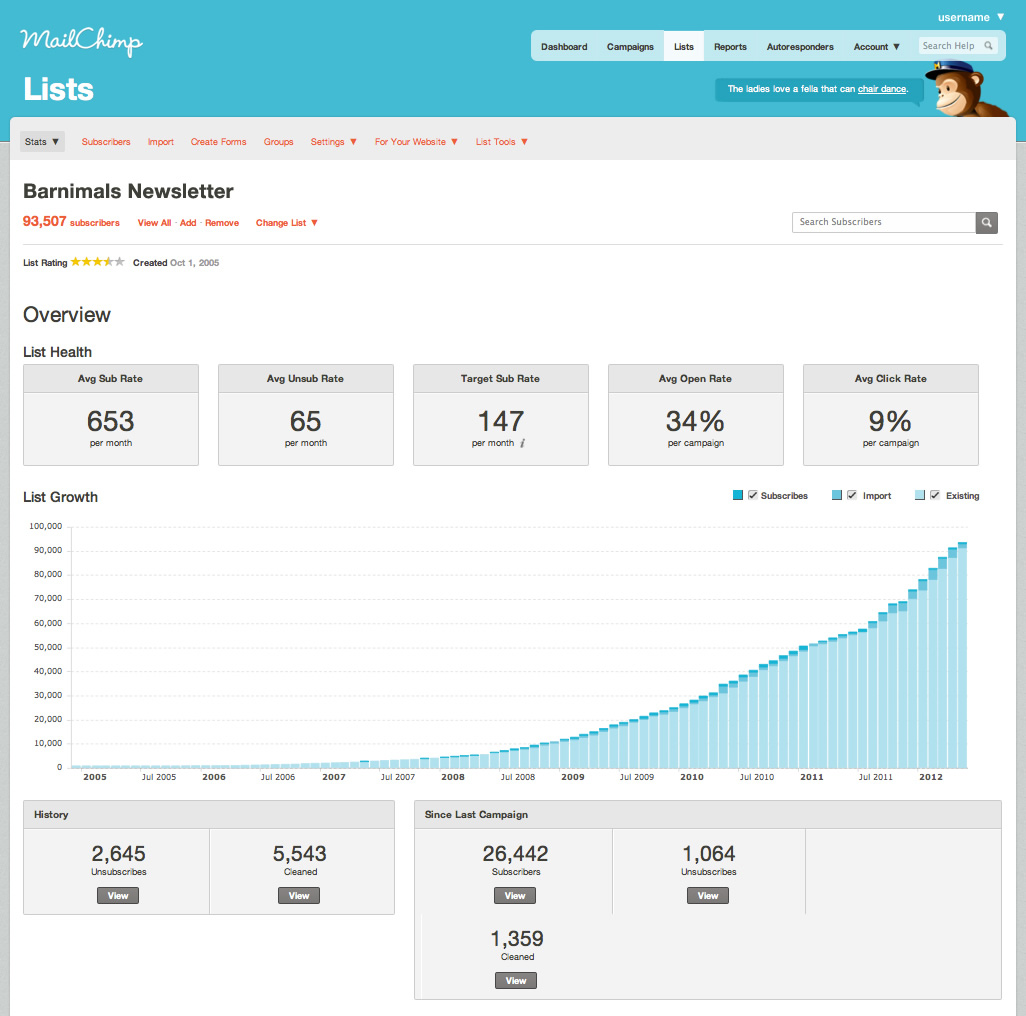
Example of MailChimp newsletter insights------


These two web programs have really cut my workload in half. I would love to hear about any other programs students have used for PR communications during their internships or in their current workplaces, be sure to comment about them below.
That's all for now.


No comments:
Post a Comment